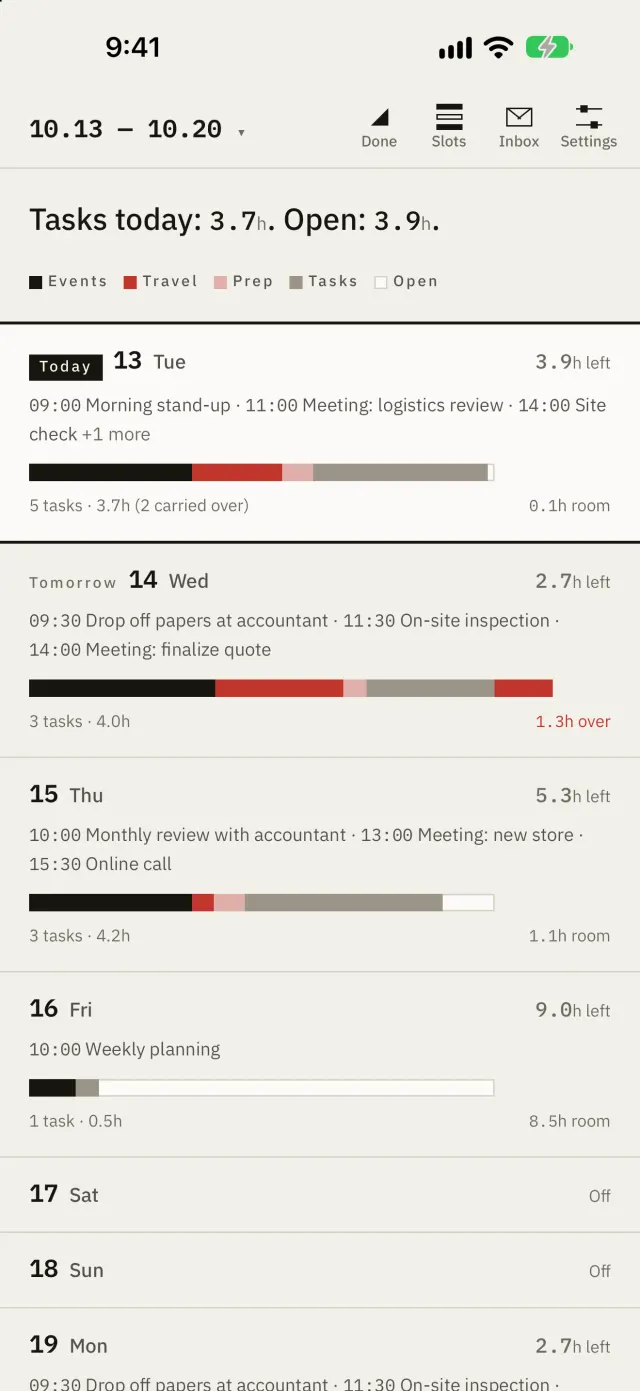
8-day list
Open it, and the answer comes first.
One sentence at the top tells you how many hours are open today.
Hachibu — Keep your schedule 80% full
Only what's left after travel and prep is time you can actually give. Hachibu shows it on your iPhone.

The app is in Japanese for now. English arrives in the next update, as in the screenshots below.
Illustrative numbers.
8-day list
One sentence at the top tells you how many hours are open today.
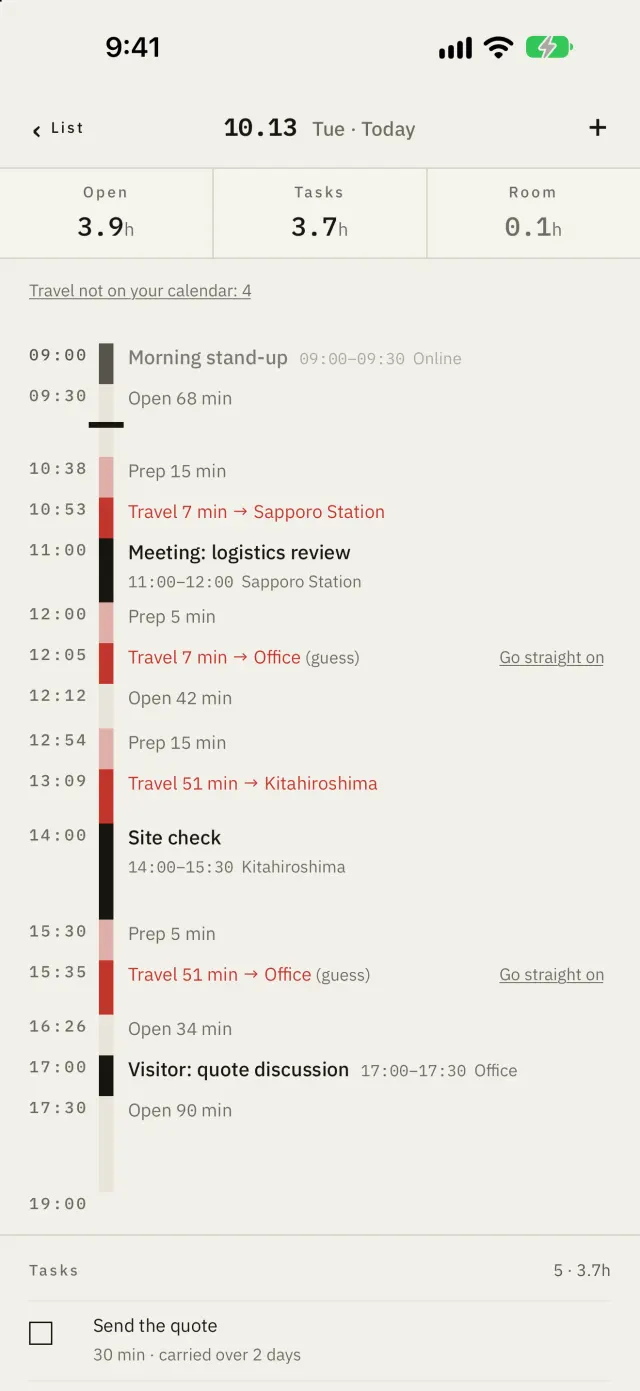
Day
Travel and prep sit in red between your events. The trip back counts too.
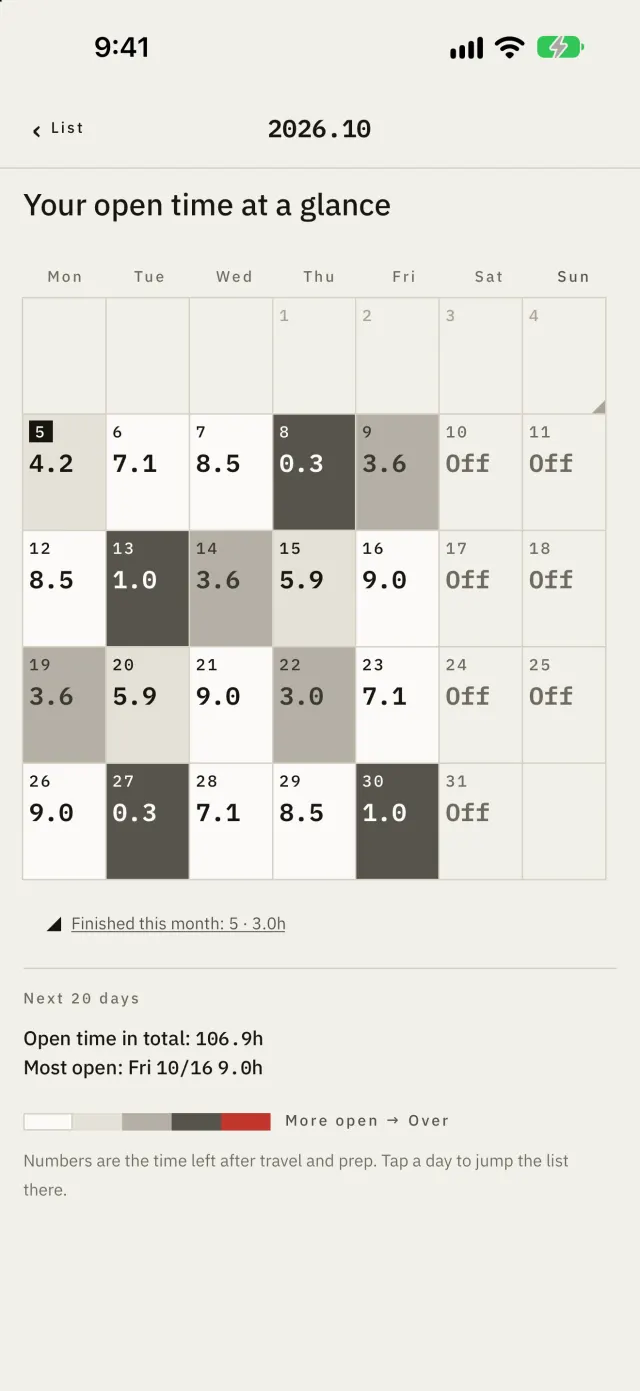
Month
Each day is shaded by the time left in it. Days that are over show in red.
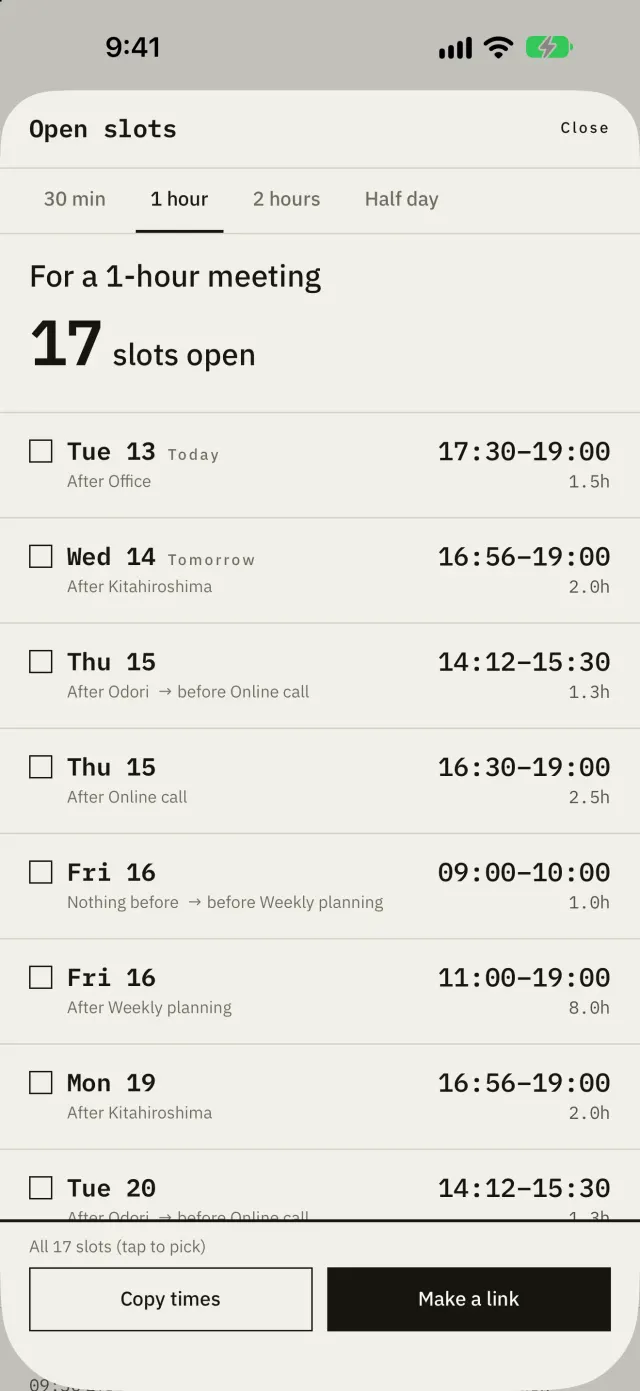
Open slots
Pick from the time left after travel and prep, and send it as text. Or send a link: they choose a time on its page, and an accepted request goes on your calendar.
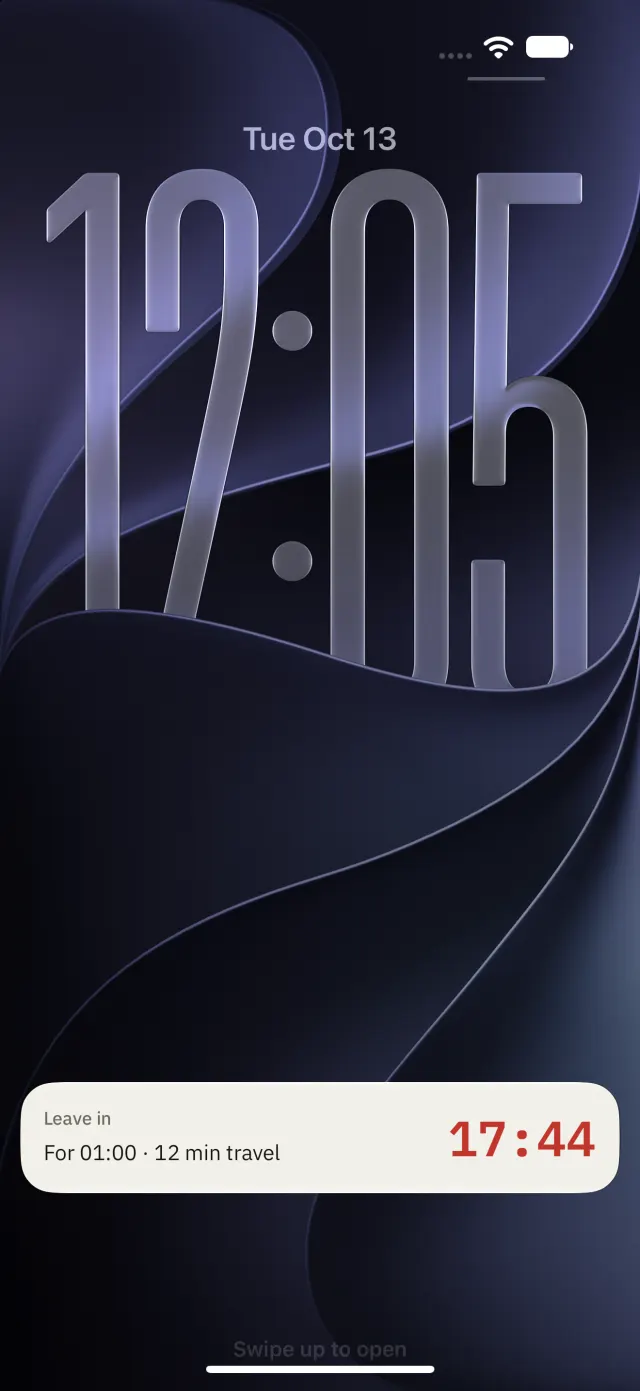
Leave-time alert
Hachibu works out when to leave from travel and prep. With Pro, the Lock Screen counts down.
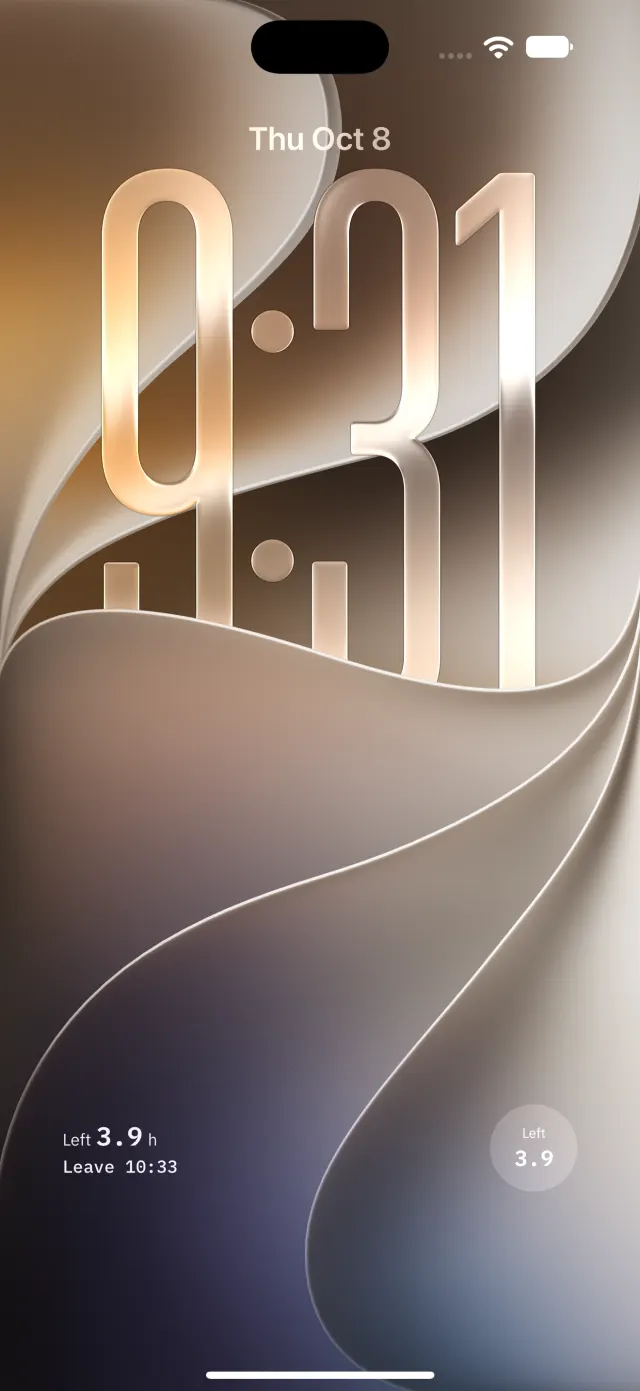
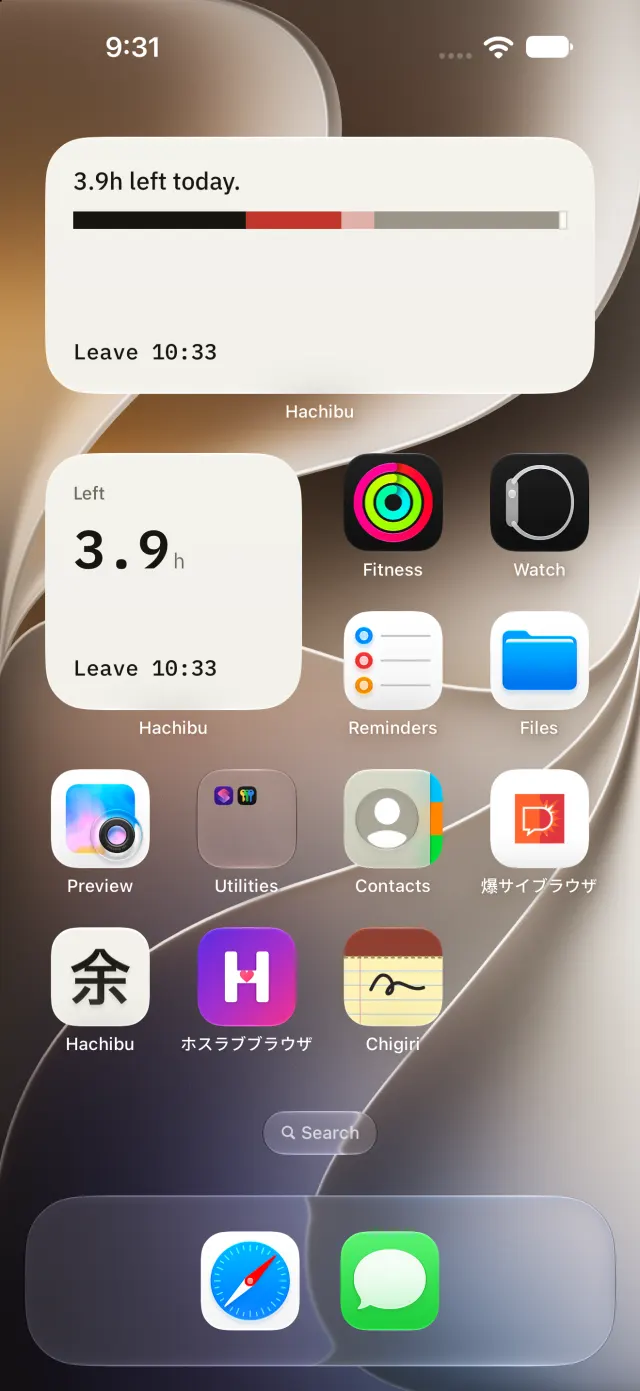
Widgets
The Lock Screen and Home Screen show the time left today.
Your task load, in the same bar.
Hachibu reads today's tasks from Todoist or Reminders, and shows whether they fit in the time left, or how many hours they're over.
Your event details never reach our servers.
The time left is worked out on your iPhone. To look up travel times, the search text and coordinates of where you're going are sent to Apple Maps.
What goes where is set out in the Privacy Policy.
Seeing your time is free.
8-day list, Day and Month, the time left after travel and prep, Open slots, and when to leave, with an alert. Everything Hachibu sets out to show is free. What the app does today keeps working without Pro.
Adds what you do with that time. One-month free trial; the App Store shows the price in your currency.
Decide by the time you can give, not the time that looks free.
Apple, the Apple logo, and App Store are trademarks of Apple Inc., registered in the U.S. and other countries.